
WhatsApp Business API explained: pricing, rules and setup
The WhatsApp Business API is the official way for businesses to send WhatsApp messages from their own software. This guide explains how it differs from the free app and how pricing works. It also covers the messaging rules and the setup steps.
What is the WhatsApp Business API?
An API is a connection point that lets two pieces of software talk to each other. In the same way, the WhatsApp Business API links tools such as a CRM, a help desk or a member system to WhatsApp. As a result, messages flow into a shared team inbox instead of one person’s phone.
Meta hosts the service on its own servers under the name Cloud API. Therefore, a business does not need to run a server of its own. In most cases, the vendor of your software sets up the connection for you.
WhatsApp Business app vs the WhatsApp Business API
The free WhatsApp Business app suits small businesses. It runs on one phone plus a few linked devices. The API, by contrast, serves teams and automation.
| Criterion | WhatsApp Business app | WhatsApp Business API |
|---|---|---|
| Users | A few linked devices | Unlimited agents through your software |
| Integration | None | Connects to CRM, help desk and member systems |
| Bulk sending | Broadcast lists only | Approved templates, within limits |
| Automation | Simple greeting message | Rule-based and AI-assisted flows |
| Cost | Free | Per message, by category |
In short, the app is enough for a shop where one person answers. However, once several agents share a line, you need the WhatsApp Business API. The same applies when conversations must stay in your CRM.
How does WhatsApp Business API pricing work?
On 1 July 2025, Meta moved from conversation-based pricing to per-message pricing. Meta now charges each delivered message according to its category and the recipient’s country. Messages that users send to you stay free.
- Marketing: Campaigns, announcements and offers. This is usually the most expensive category.
- Utility: Transactional updates such as appointment reminders, order or payment notices.
- Authentication: One-time passwords and verification codes.
- Service: Free-form replies you send within 24 hours of a customer message.
Rates vary by country, and Meta updates them at the start of a quarter. For this reason, estimate each category separately when you budget for the WhatsApp Business API. For example, reminders usually cost less than marketing messages.
Template messages and the 24-hour rule
When a customer messages you, a 24-hour customer service window opens. Within it, you can send free-form text, images and documents. Each new message from the customer also restarts the timer.
After the window closes, your first message must be a template. A template is a ready-made text that Meta approves in advance, and it can include variables. For instance, “Dear {name}, your appointment is tomorrow at {time}” is a utility template.
Messaging limits
Meta caps how many unique people you can reach outside the window in any 24 hours. New accounts start at 250. Once you verify your business, the cap rises to 2,000. After that, Meta raises it automatically as long as your message quality stays high.
Setting up the WhatsApp Business API in 5 steps
- Open a Meta business account: Open it in your organisation’s name, so that ownership stays with you.
- Choose a number: It must not be active on another WhatsApp account, or you must migrate it first.
- Verify your business: Verification builds trust and also raises your messaging limit.
- Connect your software: Next, your CRM or member system vendor completes the connection.
- Submit your templates: Finally, prepare your reminder, announcement and welcome texts for approval.
Setup usually takes a few days. Business verification tends to be the longest step because Meta asks for official documents. So prepare your company or association registration papers in advance.
Which organisations should use the WhatsApp Business API?
- Clinics: Fast replies to patient leads from ads, plus appointment reminders.
- Associations and chambers: Member announcements, dues reminders and event notices.
- E-commerce: Order, shipping and return notifications.
- Service companies: Quote follow-up, service appointments and support requests.
The common thread is simple. If several people talk to customers, the WhatsApp Business API is the right choice, because conversations stay in a company record rather than on personal phones. Since this involves personal data, plan for privacy rules such as the GDPR or Türkiye’s KVKK from the start. In particular, collect clear consent before you send marketing messages.
The WhatsApp Business API in Coratlas products
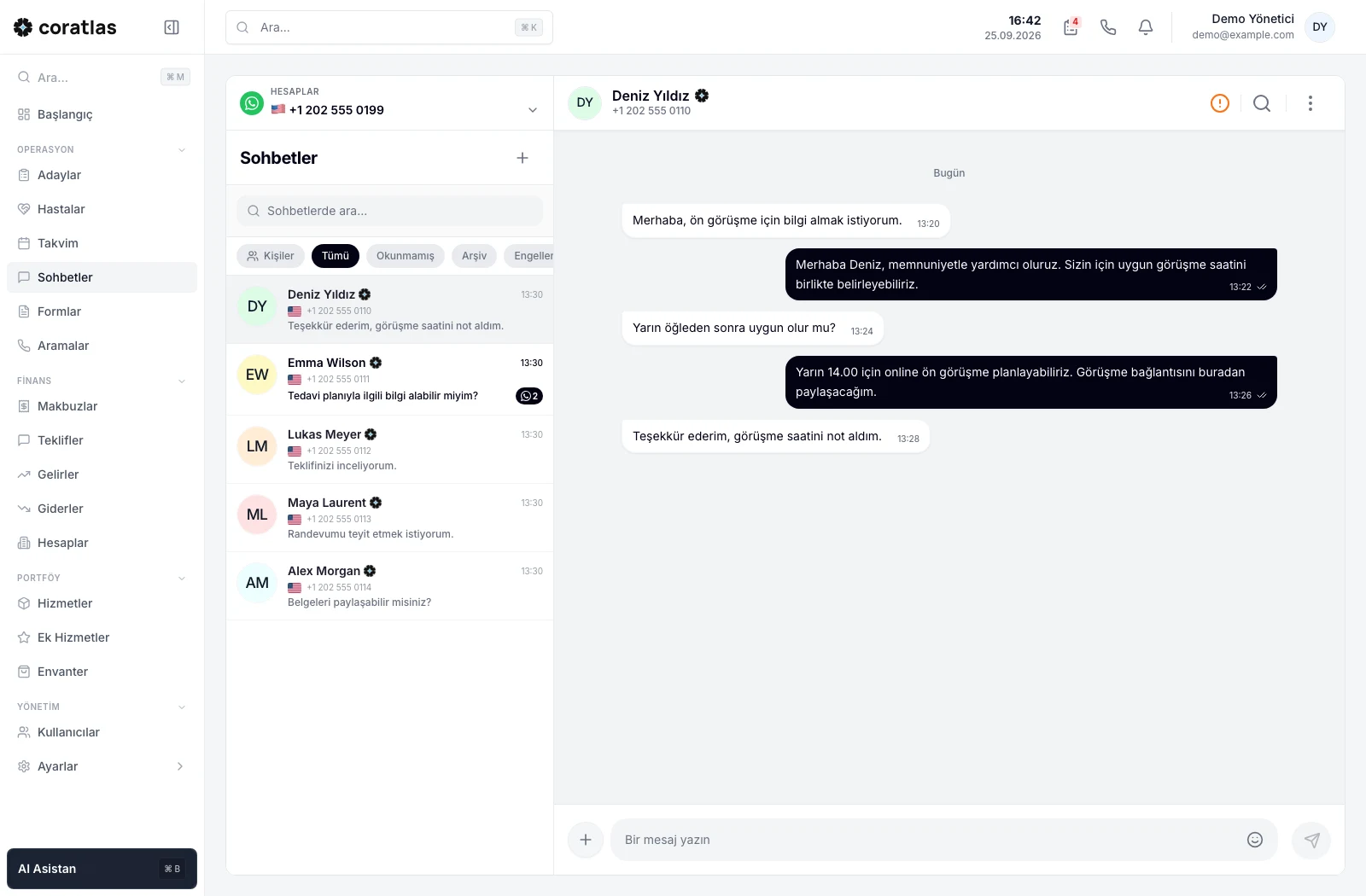
Coratlas Klinik brings several lines into one panel through the WhatsApp Cloud API. Messages, calls and appointments sit in the same patient record. It also sends appointment reminders automatically with template messages.
For associations, Coratlas STK builds announcement channels from member filters. Before sending, it shows your quota and the number of recipients. Meta then bills messaging fees directly to the association. If you need a connection to another system, our custom software development team builds the integration.
Frequently asked questions
Is the WhatsApp Business API free?
No. Messages from users are free, but the messages a business sends carry a fee by category. From 1 October 2026, each number can send 1,000 service messages per month for free.
Can I use the same number in the app and the API?
Meta allows the app and the API to run together through some providers. Still, ask your provider about this option before setup. Otherwise, you need to move the number from the app to the API.
How long does template approval take?
Meta reviews most templates within minutes or a few hours. However, it may reject or recategorise a template when you choose the wrong category.
Is bulk messaging allowed?
Yes, but only with approved templates and only to people who have opted in. Many blocks from recipients lower your quality rating and can affect your messaging limit.